Menu, wine and margins, finally in one place
Import the menu you already have, pair it with the wines you serve, know what every dish earns and publish a digital menu guests read in their own language.
Free to set up. No card needed.
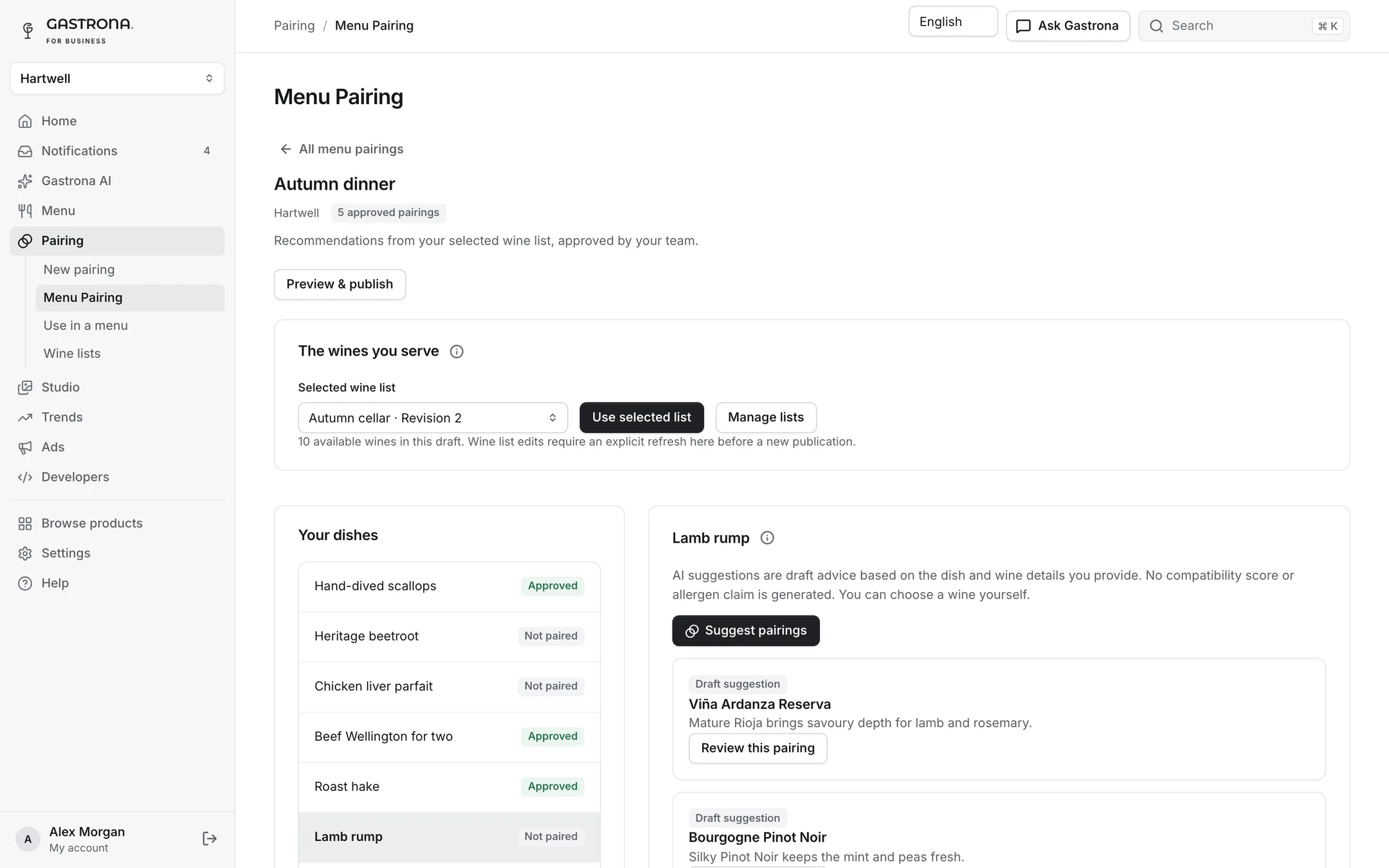
Inside Gastrona Pro
Six tools in one console, sharing your menus, wine list and costs.
- Menus and QR codesImport the menu you have and publish a digital menu guests read in their own language.
- Wine pairingThe best wines from your own list for every dish, with a reason staff can repeat.
- Cost and marginCost per serving and margin for every dish and glass, with ideas to improve them.
- AI assistantAsk Gastrona does real work across your menus, costs, pairings and research.
- Studio imagesTurn dish photos into on-brand images and campaign formats, approved and ready to reuse.
- Market trendsFollow what people eat, drink and search, and turn findings into a cited plan.
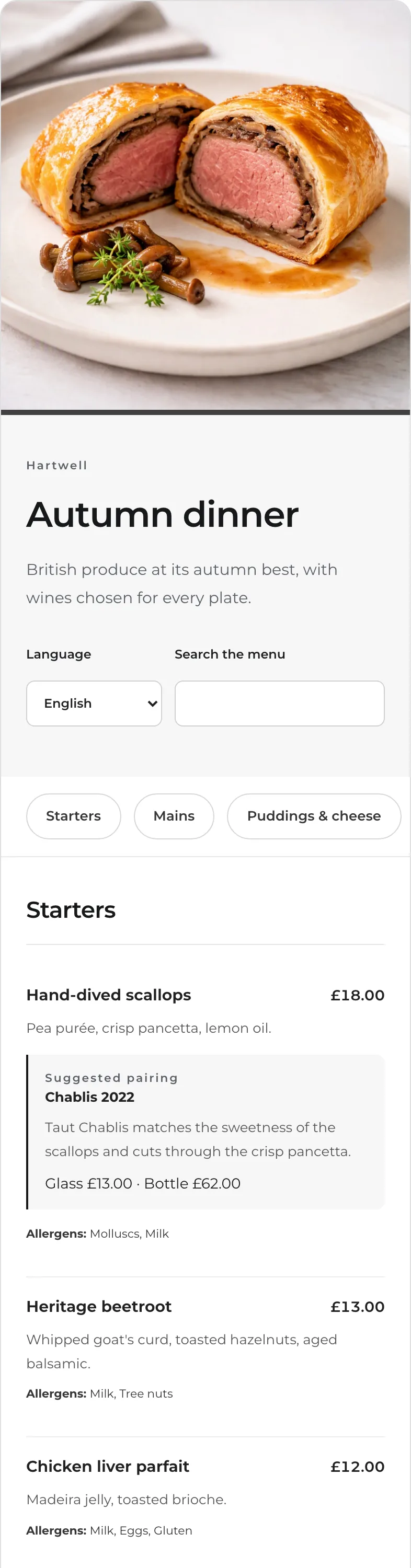
A menu guests read in their language
Edit dishes, prices and allergens once and publish to a digital menu with sections, search and the recommended wine under each dish. Guests switch language with one tap.
- Import from PDF, photos, pasted text or CSV
- Several languages per menu, with allergens reviewed
- Drafts, preview and versioned publishing your guests never see half-done
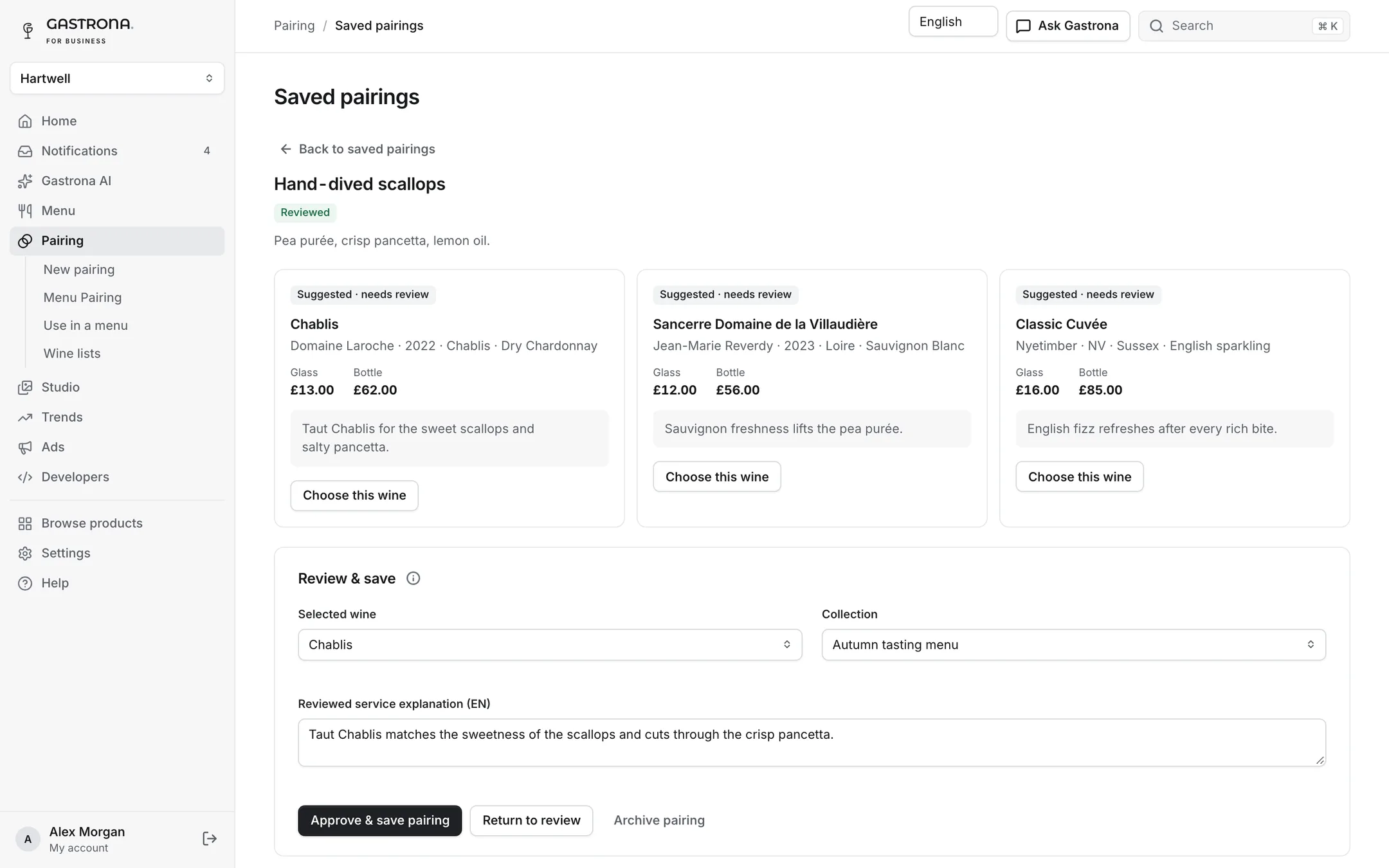
The right wine for every dish, from your own list
Choose a dish and Gastrona suggests the best wines you actually serve, with glass and bottle prices and a short reason your staff can repeat at the table.
- Suggestions only from your wine list
- Save pairings to collections and reuse them across menus
- Approve, edit or replace every explanation before it is published
Know what each dish and glass earns
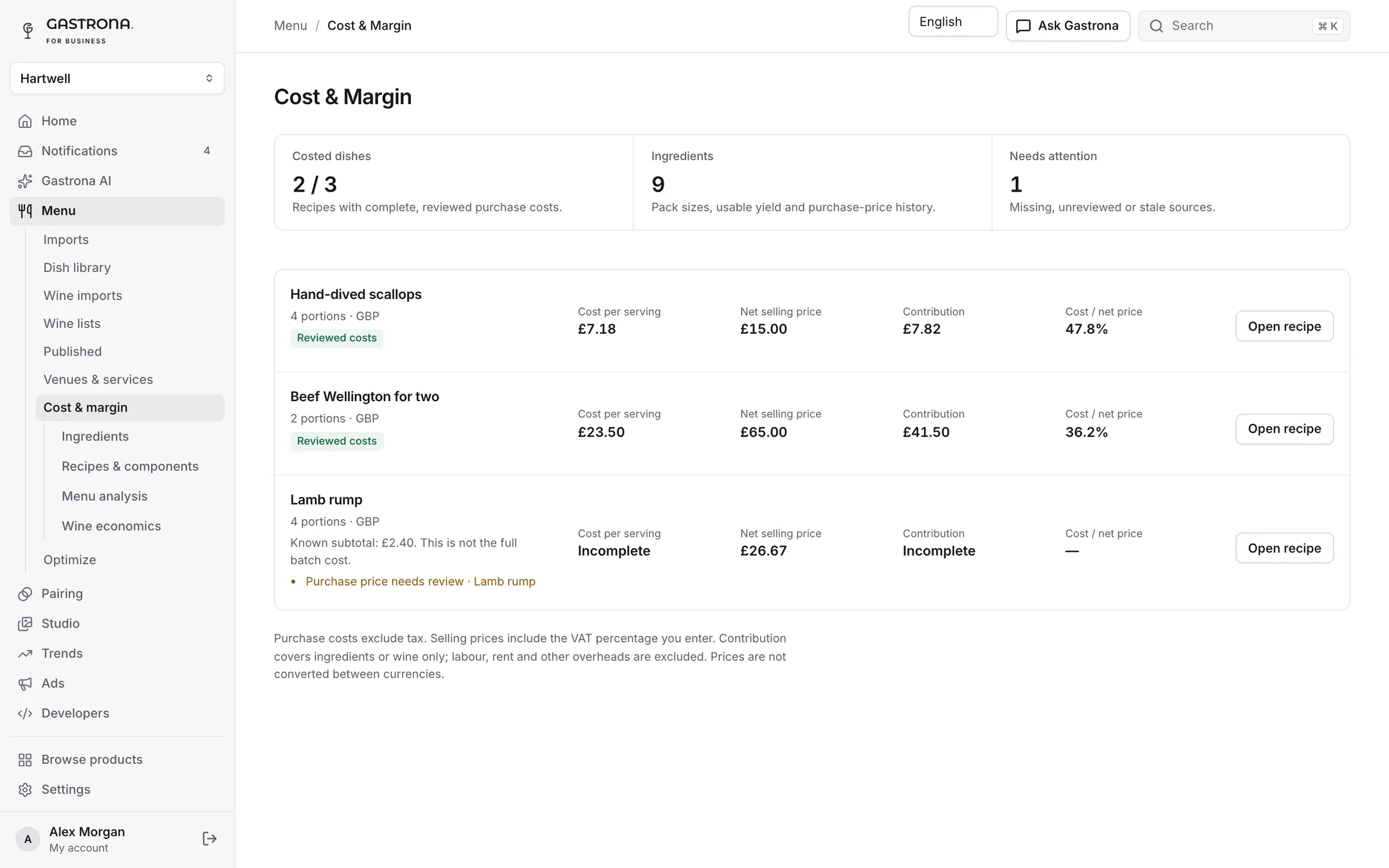
Keep supplier prices, recipes and components up to date and see cost per serving, contribution and cost percentage across the menu. Missing prices stay visible instead of being guessed.
- Recipes and sub-recipes with yields and waste
- Bottle and glass economics for the wine list
- Optimize suggests price and portion scenarios, checked by real costing
Every venue, service and QR code
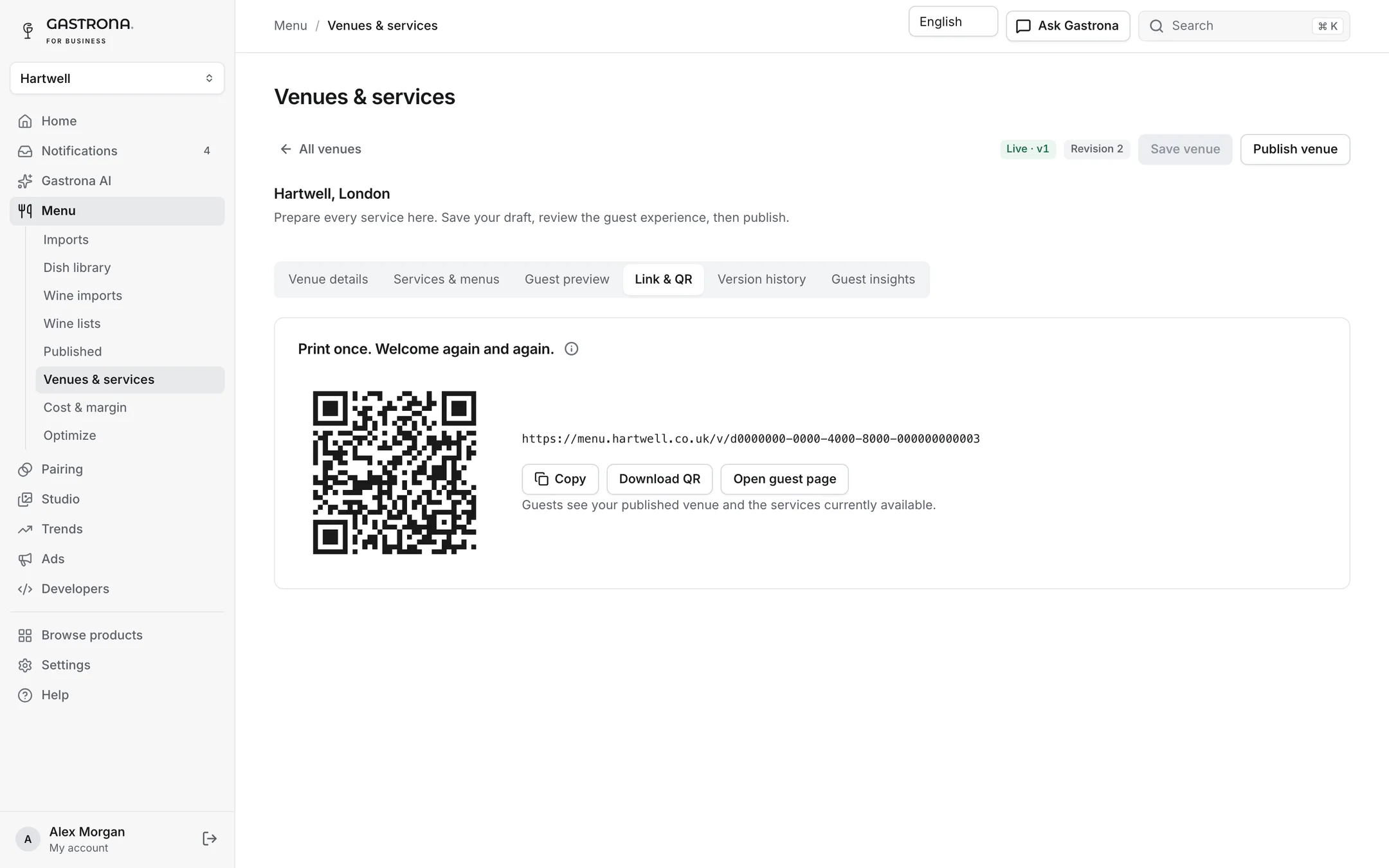
Assign menus to breakfast, lunch and dinner services, schedule seasonal menus and print one QR code per venue that always shows the menu being served now.
- Stable links and printable QR codes
- Your own domain on Professional and Group plans
- Guest insights on what people look at
From signup to first service, step by step
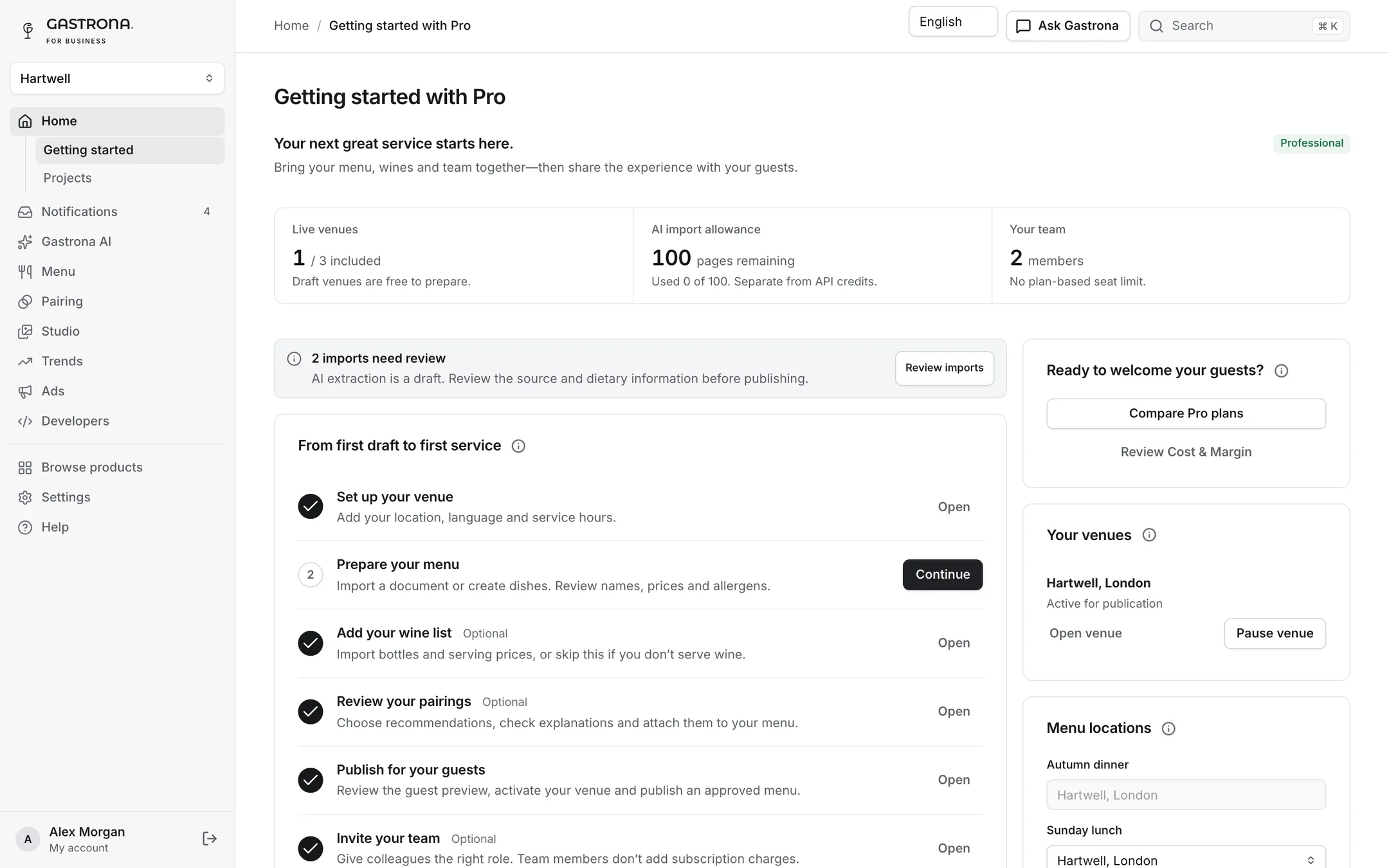
A clear checklist takes you from your first venue to a published menu. Invite colleagues with the right role: editors, publishers, viewers and cost managers.
- No limit on team members
- Roles for menu, publishing and costs
- Company single sign-on for groups
Questions, answered
No. Upload a PDF, photos, a spreadsheet or paste text. Gastrona extracts dishes, prices and wines into a draft you review and correct before publishing.
Yes. Menu pairing uses the wine list you choose for that menu, with your glass and bottle prices. You approve every pairing and can write your own explanation.
Yes. A menu can be published in several languages, and guests switch between them on the digital menu. Allergens are listed per dish in every language.
Supplier prices for your ingredients and the recipes for your dishes. Prices you have not entered are shown as missing, never as zero, so the numbers you see are numbers you can trust.
Built forRestaurants & groups
Your next service starts here
Set up your venue, import your menu and see your first pairings today. Free to set up, no card needed.
No card needed. Set up a venue or get an API key in minutes.
- 1Create your venueSign up and add your restaurant. No card needed.
- 2Import your menu and wine listUpload a PDF, photos or a spreadsheet and check the draft Gastrona prepares.
- 3Publish your first pairingsApprove the suggested wines and share your digital menu by QR code.