Know what people will want to eat and drink next
Trends brings together the credible sources that shape what people eat and drink, from official statistics and sales data to search interest and Gastrona's own activity, so you can spot a shift early and plan your menu, range or campaign around it.
Works inside Gastrona Pro.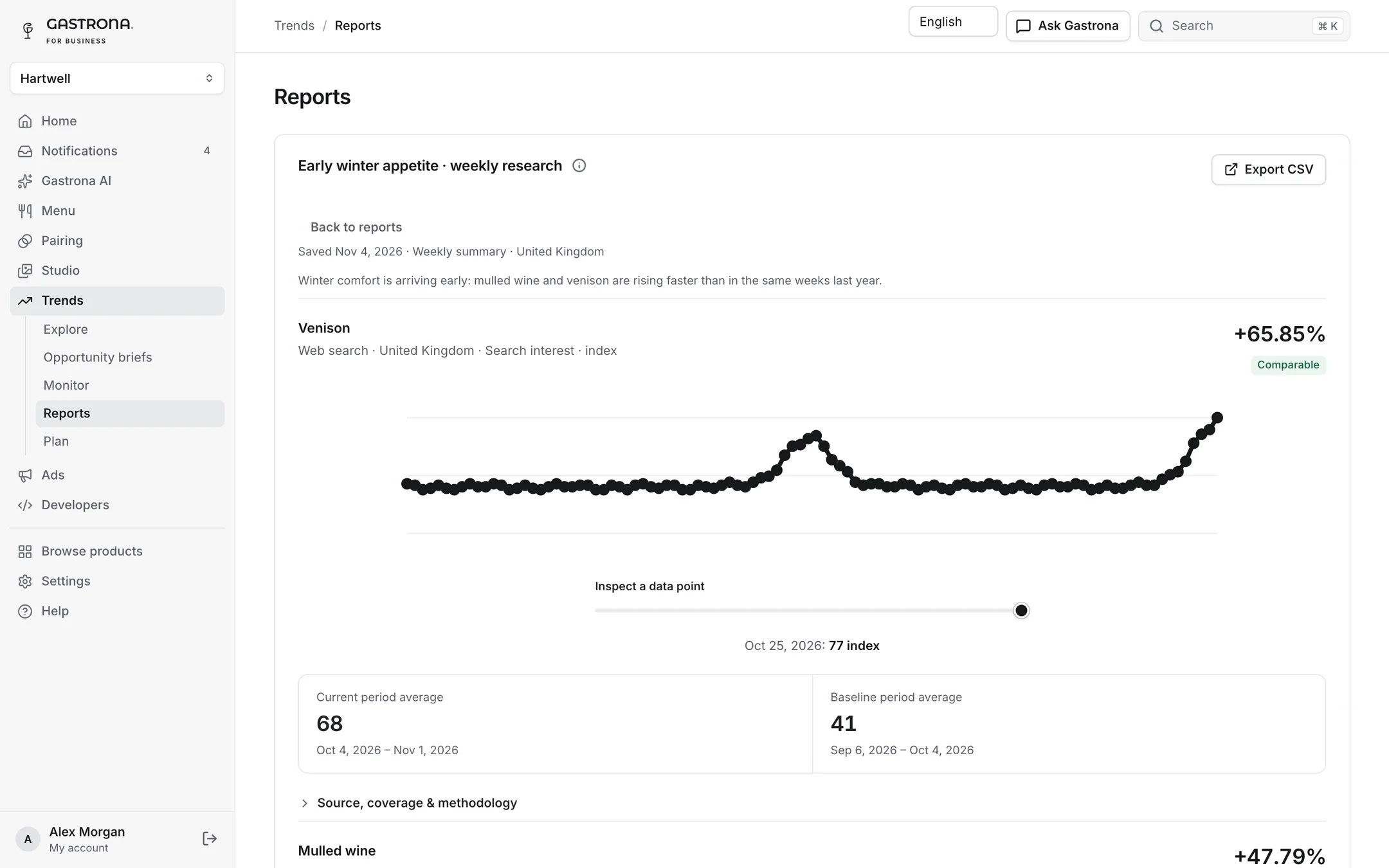
From a signal to something you can test
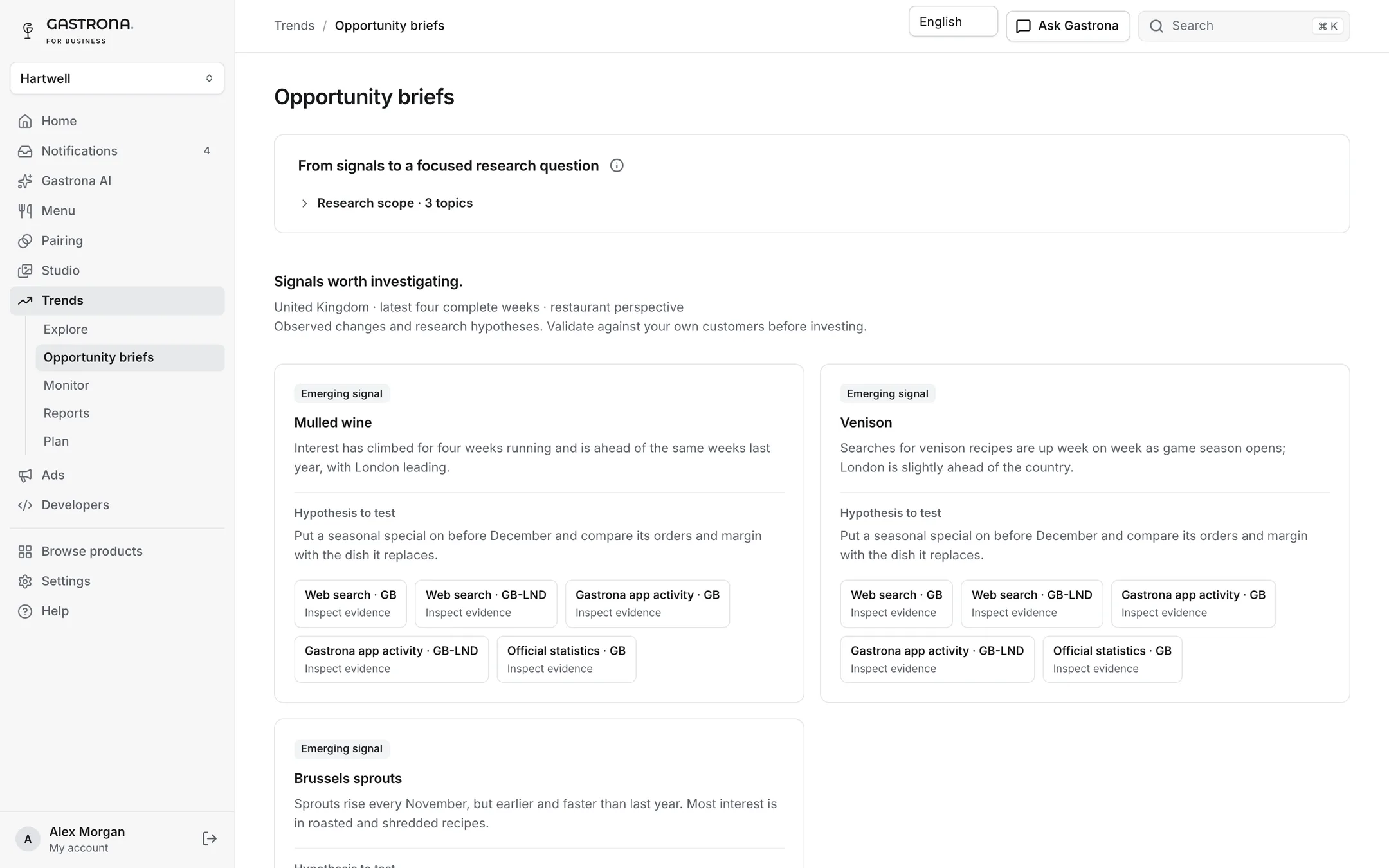
Choose the topics that matter to you and Trends writes a brief: what is moving, how it compares with last season and a concrete idea to try.
- Every finding linked to its sources
- Hypotheses labelled as hypotheses
- Saved and shared with your team
From a hunch to a plan with sources
- Explore
- Browse food, ingredient, dish and drink topics by source, period and region, compared with last period or last season.
- Monitor
- Watchlists with your own thresholds, daily checks and a weekly summary.
- Opportunity briefs
- Combine observed changes with citations, coverage gaps and clearly labelled hypotheses.
- Reports
- Save snapshots and export CSVs with definitions, dates and methodology.
- Plan
- A seasonal calendar of initiatives with AI proposals you approve and the work linked to them.
- Roles
- Analysts research and plan; viewers read and export.
Questions, answered
From the credible sources that matter in each market: official and national statistics, sales and retail data, search interest, industry research and anonymized, aggregated activity in the Gastrona app. Every number shows its source.
No. Trends shows what has been observed, with sources and method. Hypotheses are labelled as such, and missing data is never filled in with estimates.
The markets Gastrona serves, each with the sources that matter locally. Tell us your markets and categories and we will show you what Trends sees there.
Trends is market research, not venue analytics. Your own results stay in your other Gastrona tools.
Works withGastrona ProAIAds
Built forRestaurants & groupsWine retail & e-commerceProducers, importers & brands
Plan next season with evidence
Tell us your market and categories and we will show you what Trends can see.
No card needed. Set up a venue or get an API key in minutes.
- 1Create your venueSign up and add your restaurant. No card needed.
- 2Import your menu and wine listUpload a PDF, photos or a spreadsheet and check the draft Gastrona prepares.
- 3Publish your first pairingsApprove the suggested wines and share your digital menu by QR code.